Look for Anthropic-native labeling
Groups intended for Anthropic-native access should be labeled or described as Anthropic Native in the dashboard copy.
This page explains the dashboard concepts behind a stable integration: API key creation, QPM, daily spend limit, group selection, and how to tell whether a group is meant for Anthropic-native endpoints.
Use the key creation dialog when you want to bind one key to a specific group and limit policy.
Go to the dashboard API Keys page and start a new key creation flow for personal billing or team billing.
Give the key a clear purpose-based name, then set the QPM value that matches the traffic pattern you expect.
Use the daily spend limit when you want a budget guardrail on the key. Leave it empty only when you truly want no per-key daily cap.
A key is not just a secret string. It is tied to the selected group, and that group determines which models and endpoint family the key can use.
These two settings control very different things and should not be treated as interchangeable.
QPM controls how many requests the key can issue per minute. It is a traffic-shaping control, not a billing budget.
The daily spend limit is a budget guardrail for the key. It limits how much the key can spend in a day before the platform stops accepting more traffic for that key.
In practice, teams usually tune QPM based on concurrency and tune the daily spend limit based on risk tolerance.
A group is the practical unit that binds endpoint family, available models, and authorization scope together.
When you create an API key, the selected group determines which models are available to that key and which request family the key is intended to serve.
This is why groups should be read as endpoint-and-model bundles, not as cosmetic labels. Choosing the wrong group is one of the most common reasons a tool 'almost works' but behaves incorrectly in production.
Use the group's label and endpoint expectation together instead of guessing from the model name alone.
Groups intended for Anthropic-native access should be labeled or described as Anthropic Native in the dashboard copy.
If the caller is Claude Code or another Anthropic-native client, prefer the group meant for Anthropic-native requests.
A Claude-family model reachable through an OpenAI-compatible path is still not the same thing as an Anthropic-native group.
Reserve real screenshots for the flows users will most often follow in the dashboard.
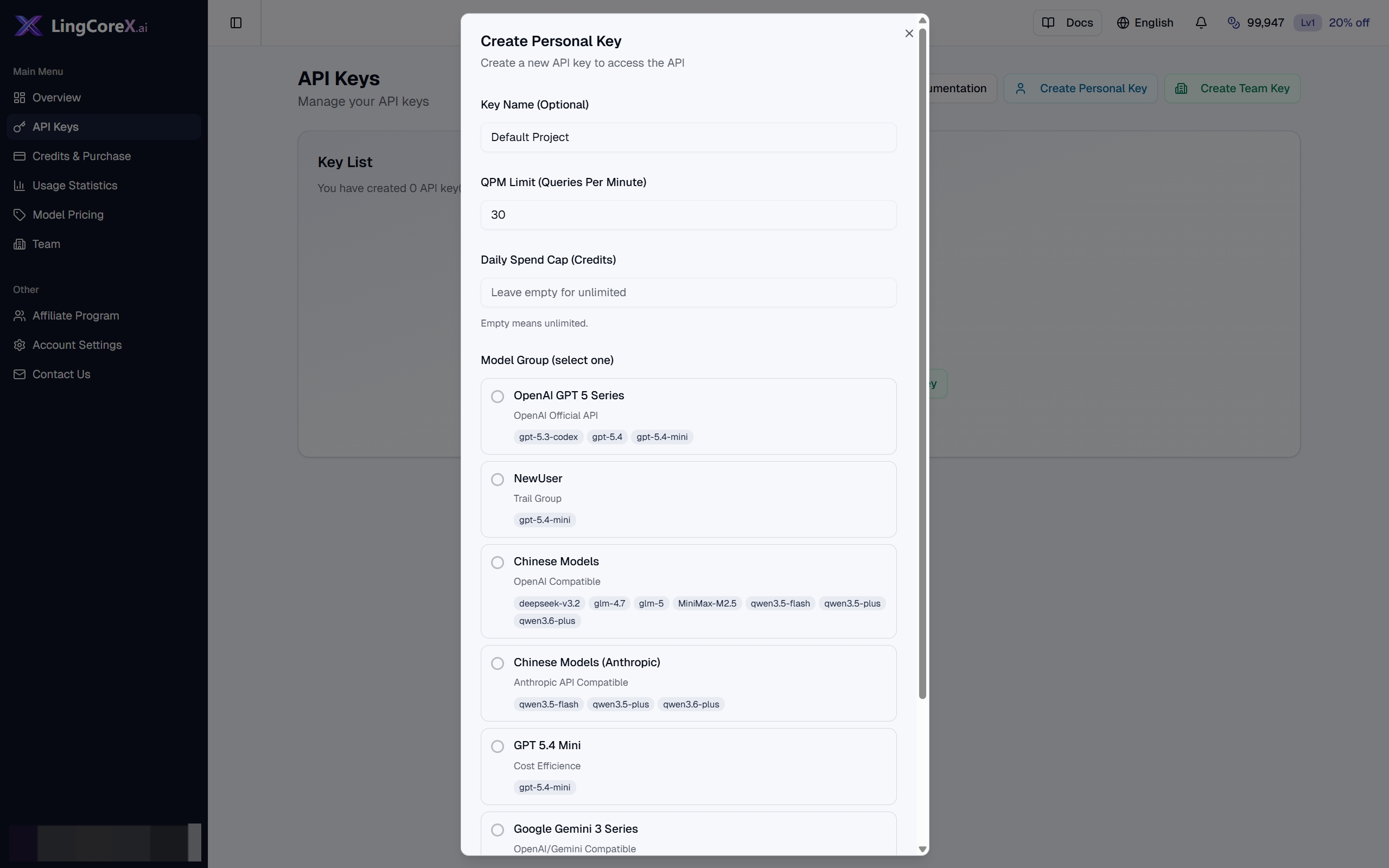
Shows the key name, QPM limit, daily spend cap, and group selection controls in the create-key flow.
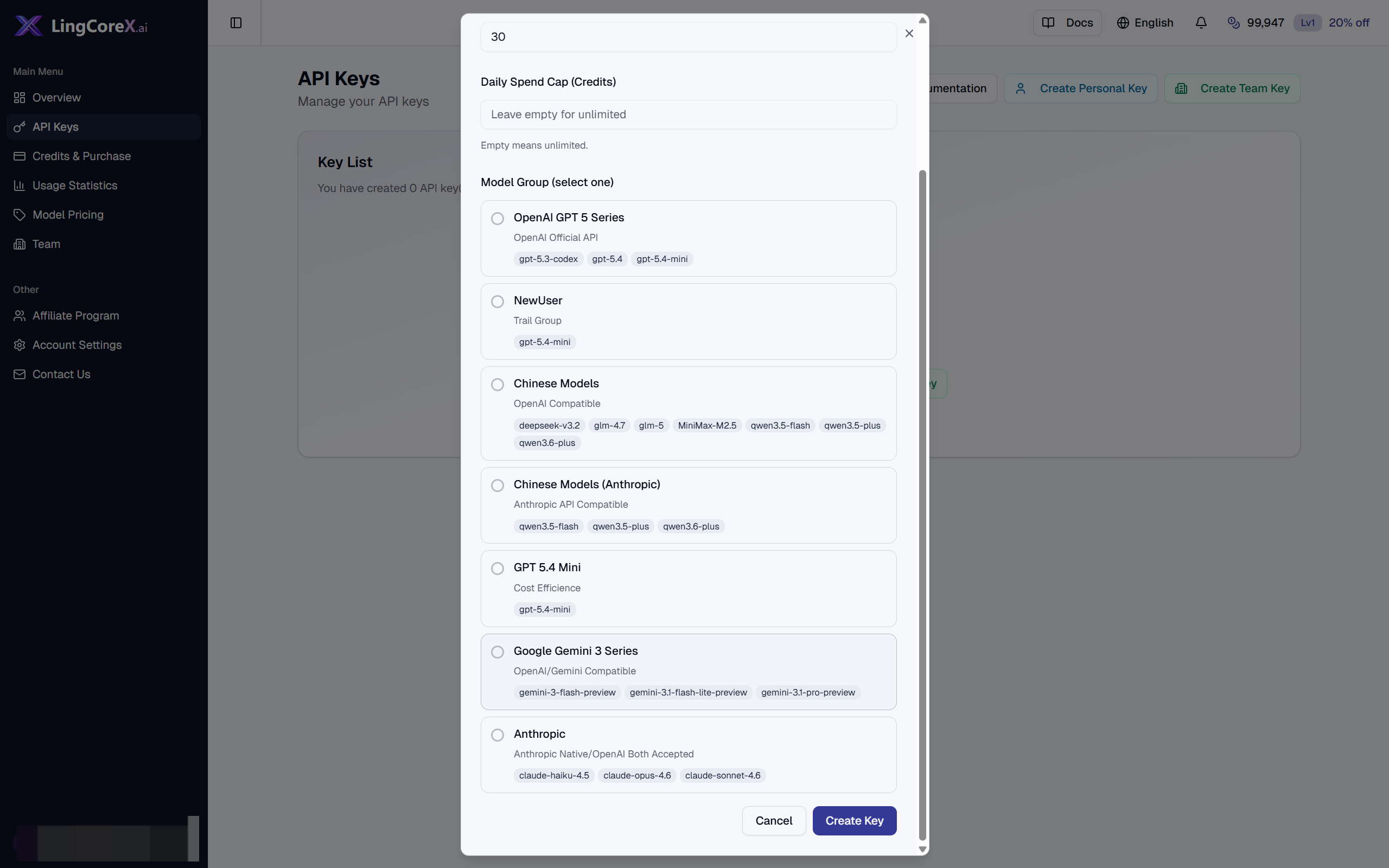
Shows how model groups are presented and selected before a key is saved.
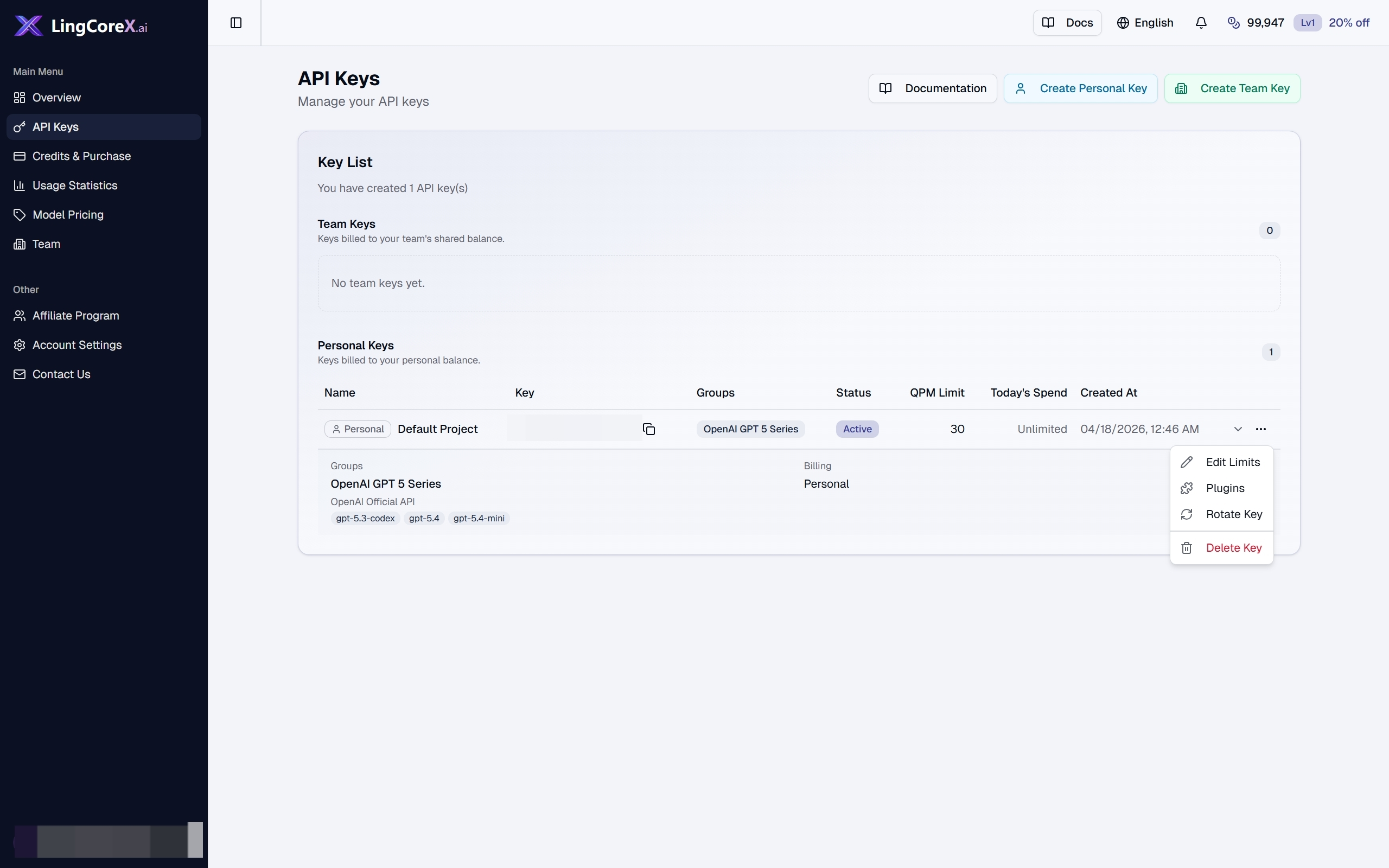
Shows where users open the limit editor from an existing key row.
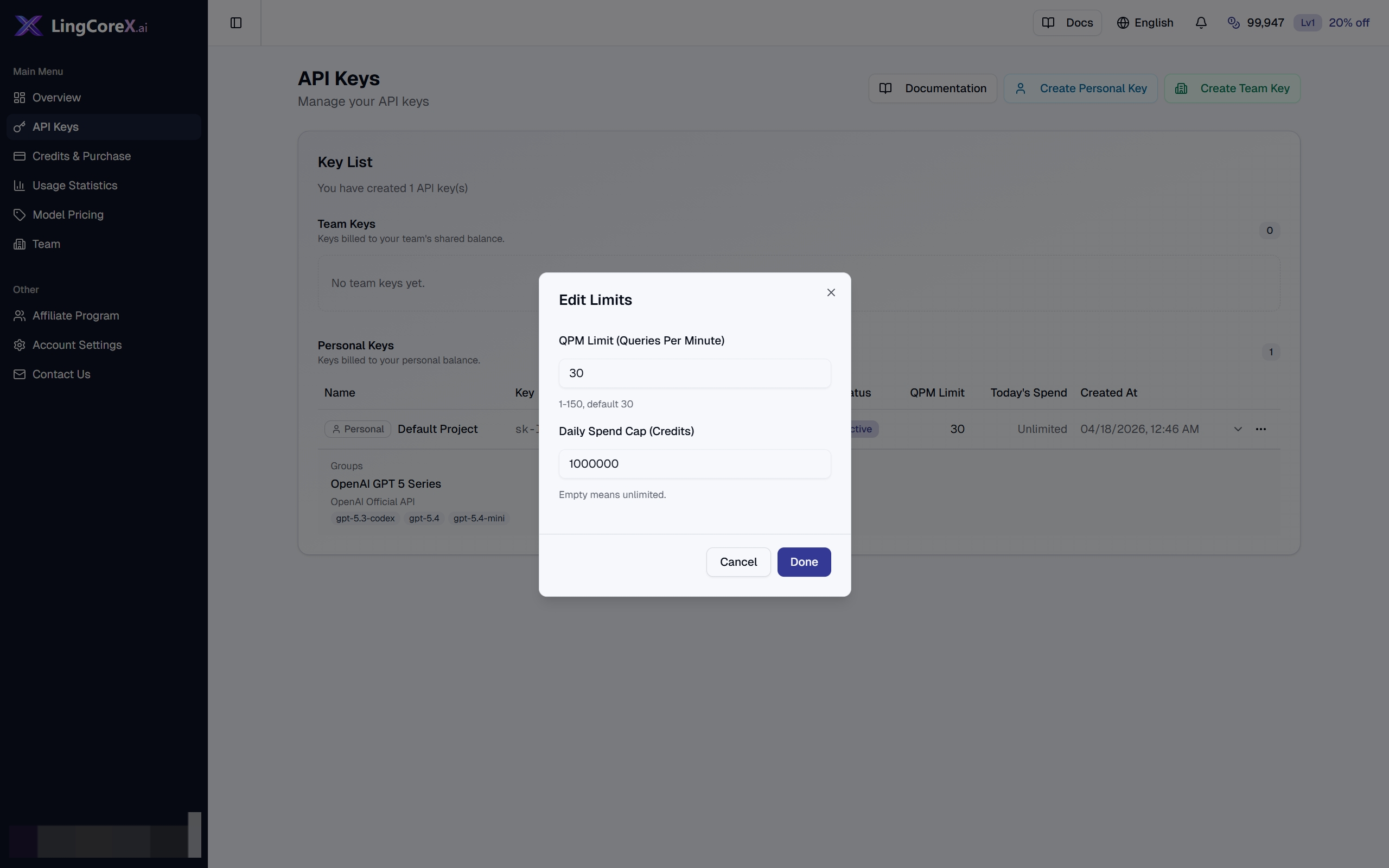
Shows the actual edit dialog for changing request rate and daily spend controls.