Cursor
Use the OpenAI-compatible path in Cursor Models settings.
Create a key from an OpenAI-compatible group.
Set Override OpenAI Base URL to https://api.lingcorex.ai/v1.
Add only the exact model IDs enabled for your account.
Most setup issues come from one mismatch: the tool expects one provider format, but the API key was created from a group meant for another one. This page keeps that mapping explicit.
Match the tool to the request format it actually exposes, not just the model family you want to reach.
| Tool | Recommended mode | Why |
|---|---|---|
| Cursor | OpenAI-compatible | Cursor config is centered on OpenAI-style provider settings. |
| Codex | OpenAI-compatible | Codex uses the OpenAI-compatible route today. |
| Cline | OpenAI-compatible | Cline's third-party provider flow is typically OpenAI-compatible. |
| Claude Code | Anthropic-native | Best fit for Anthropic-native request behavior and cache controls. |
| OpenCode | Depends on provider adapter | OpenCode can use either path if the configured adapter matches the key's group. |
These cards summarize the minimum configuration and the operational caveat for each supported tool family.
Use the OpenAI-compatible path in Cursor Models settings.
Use OPENAI_BASE_URL and OPENAI_API_KEY, or a persistent config.toml plus auth.json setup.
Treat Cline as an OpenAI-compatible tool in this documentation set.
Use an Anthropic-native key and the Anthropic-native base URL.
OpenCode can work through either route if the adapter and the key group match.
Use these snippets as the shortest stable starting point before you add project-specific defaults.
export OPENAI_BASE_URL=https://api.lingcorex.ai/v1
export OPENAI_API_KEY=YOUR_API_KEY
codexexport ANTHROPIC_BASE_URL=https://api.lingcorex.ai
export ANTHROPIC_API_KEY=YOUR_API_KEY
claude{
"provider": {
"lingcorex": {
"npm": "@ai-sdk/openai-compatible",
"options": {
"baseURL": "https://api.lingcorex.ai/v1",
"apiKey": "YOUR_API_KEY"
}
}
}
}Add real setup screenshots later for the tooling pages that benefit from a guided UI walkthrough.
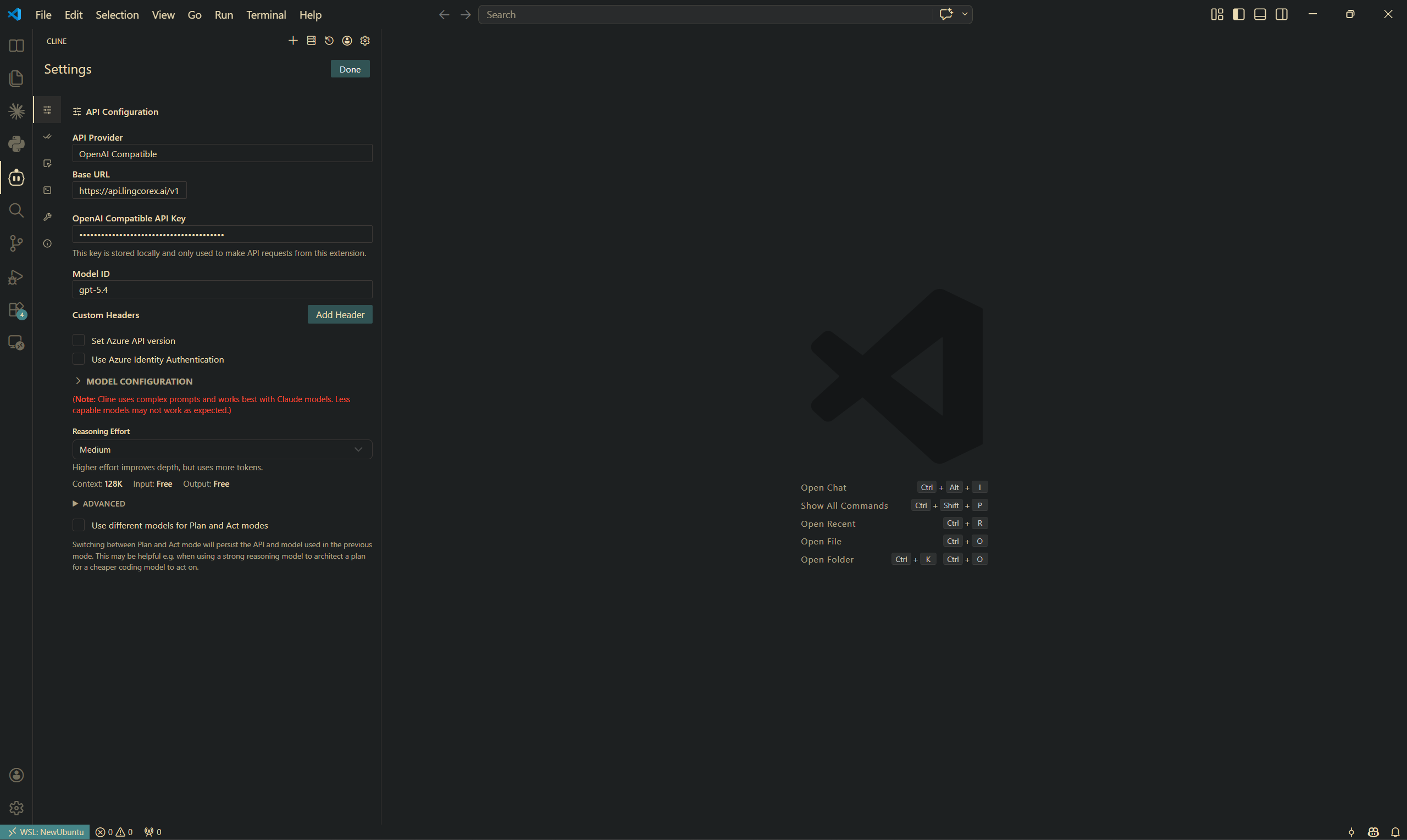
Shows where to set the provider type, base URL, API key, and model ID when connecting Cline through LingCoreX.
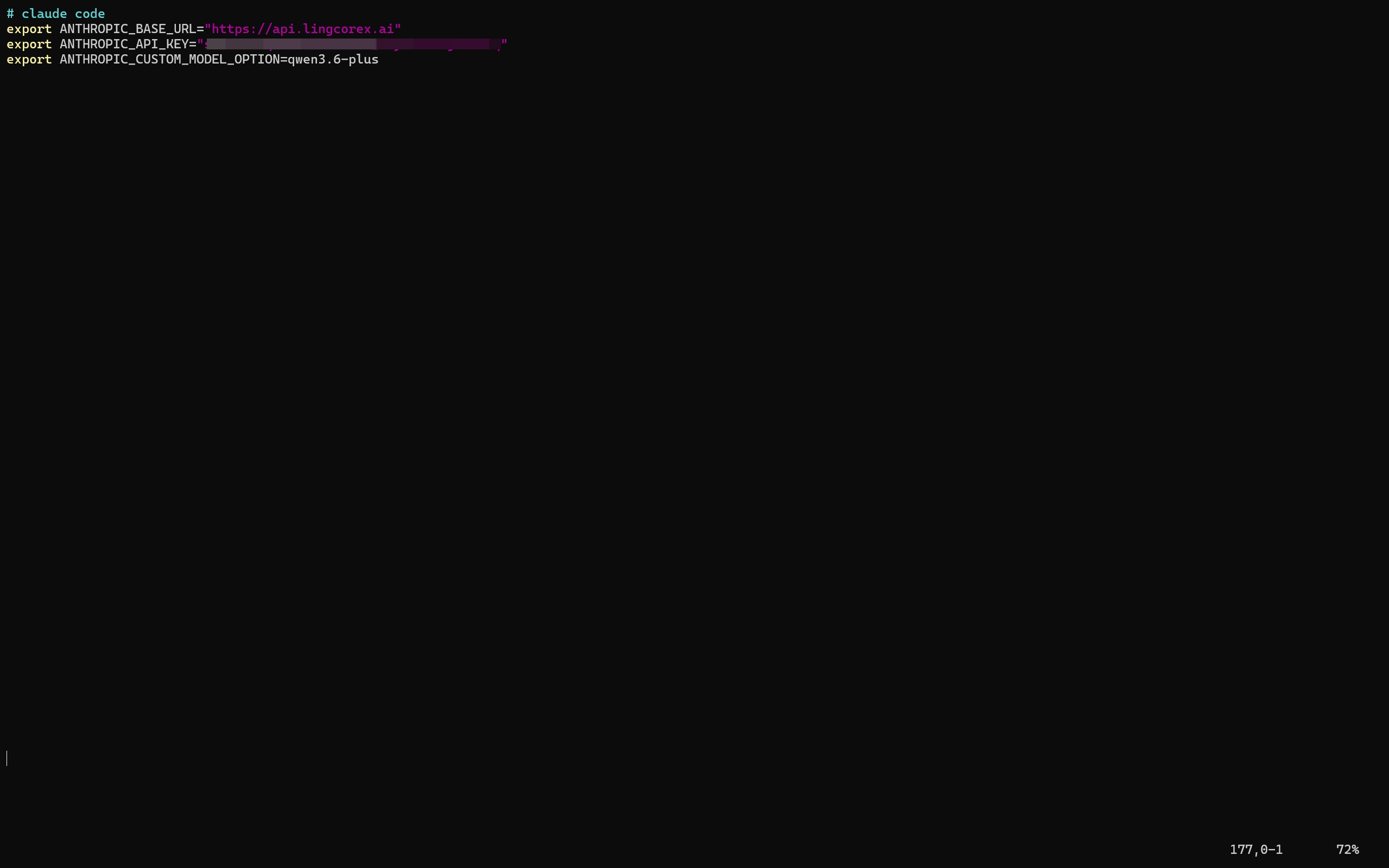
Highlights the environment values used by Claude Code when routing Anthropic-native requests through LingCoreX.